

Contractor website design is the work of building pages that load quickly, show your best projects and make calling you the easiest next step for a visitor.
Most contractors treat the website as a brochure. However, buyers treat it as a test. They compare three or four companies in a few minutes, and they call the one that looks real and responds fast.
This guide explains the mechanics step by step. It suits contractors in Canada and the United States, from a three-person crew to a regional firm.

Contractor website design: the pages every site needs
A good site is small and clear. Each page answers one question a buyer asks before they call. Therefore, plan the pages first and the colours second.
The core pages
- A home page that says what you build, where you work and how to reach you.
- One page per service, such as roofing, basement finishing or commercial fit-outs.
- One page per major service area, with real local detail.
- A projects page with photos, scope and the town where the work happened.
- A contact page with a phone number, a short form and your hours.
Why service pages beat one big page
Google says its systems prioritize helpful, reliable information created to benefit people. A page about one service, written for one buyer, meets that test far better than a page that lists everything. As a result, each page can match one search. Our construction SEO service uses this same page-per-search approach.
Step 1: Write the call to action first
Decide what you want a visitor to do. For most contractors, the answer is call or request a quote. Put that action at the top of every page, and repeat it at the bottom.
- Place a tap-to-call phone number in the header on mobile.
- Keep the quote form to four fields: name, phone, town and a short job description.
- Show your response promise, such as a reply within one business day.
Long forms lose buyers. Moreover, a form that asks for a budget too early feels like a trap. Ask for the budget on the phone call instead.
Step 2: Build trust with proof, not slogans
Buyers cannot inspect your work before they hire you. Consequently, your site must show proof on every page. Real photos, real reviews and real licences do more than any slogan.
Proof to place on each page
| Proof | Where it goes | How to get it |
|---|---|---|
| Project photos | Service and projects pages | Photograph every job at the finish, in daylight |
| Google reviews | Home and service pages | Ask each client within a week of completion |
| Licences, insurance and WSIB or workers comp status | Footer and about page | Copy the details from your own certificates |
| Years in business and crew size | About page | State plain facts |
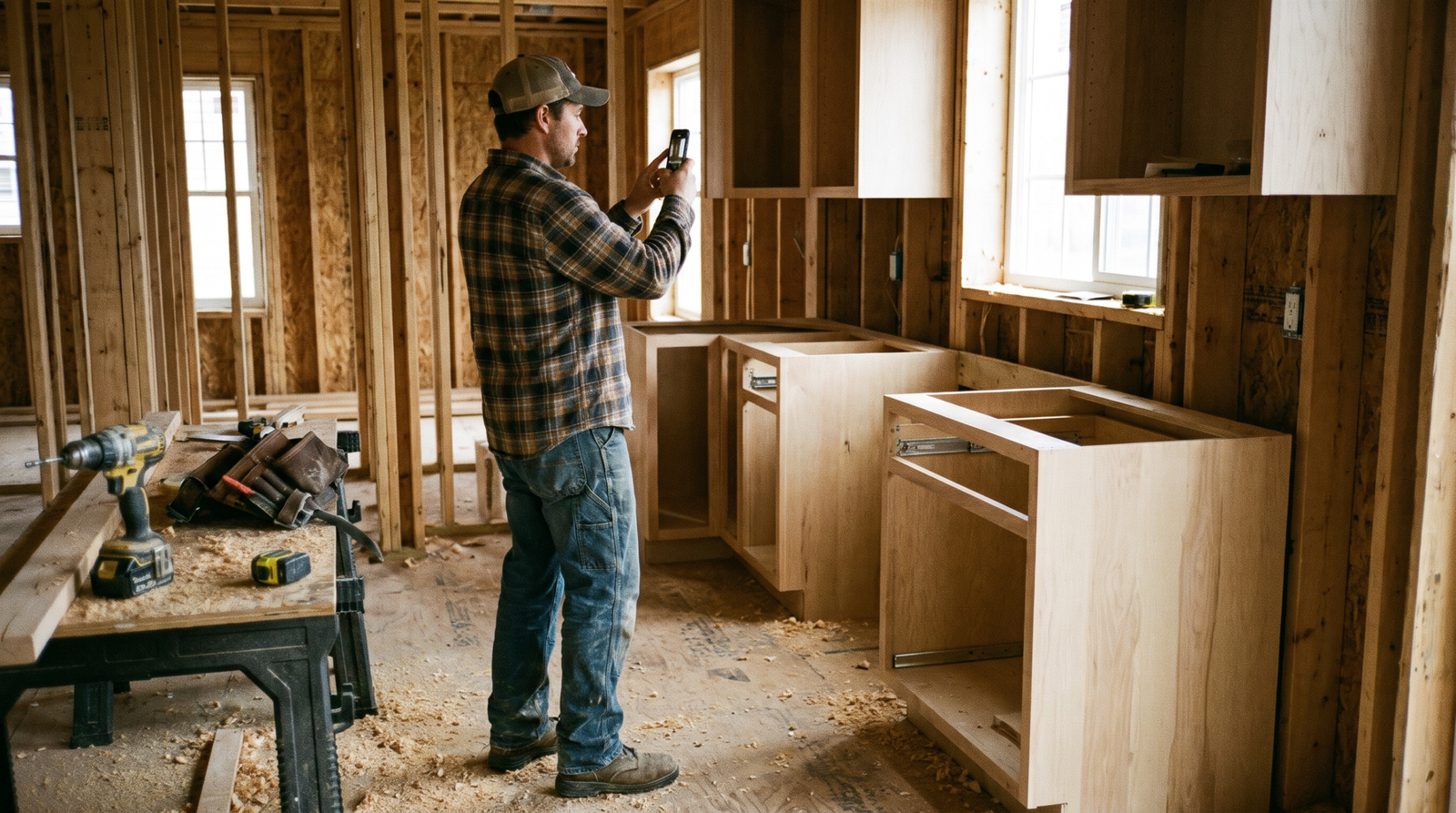
Photograph the finished work on every job. A phone is enough if you shoot in daylight and keep the lens clean.
Step 3: Make the site fast on a phone
Most local searches happen on a phone, often from a driveway or a job site. Slow pages lose those visitors before they read a word. Google publishes the targets in its Core Web Vitals. According to web.dev, a good score means the largest element loads in 2,500 milliseconds or less, interaction responds in 200 milliseconds or less, and layout shift stays at 0.1 or below.
Five fixes that help most
- Compress every project photo before you upload it.
- Remove sliders and autoplay video from the top of the page.
- Limit fonts to one or two families.
- Delete plugins you do not use.
- Choose hosting that serves pages from North American servers.
Test your home page with Google PageSpeed Insights each month. Then fix the largest items first.
Step 4: Add the technical layer Google reads
Some of the work is invisible. Still, it helps Google understand who you are and where you work.
Title tags and headings
Give each page a unique title that names the service and the place. Then use one main heading per page, and break the content with clear subheadings.
Local business schema
Google says LocalBusiness structured data lets you tell it about business hours, departments and more. Your developer can add this as JSON-LD in an afternoon. Use your exact business name, address and phone number, and match them to your Google Business Profile. Our guide to Google Business Profile for contractors explains that match.
Step 5: Track every call and form
A website that you cannot measure cannot improve. Set up tracking on launch day, not three months later.
- Install Google Analytics 4 and mark form submissions and phone taps as conversions.
- Use a tracking phone number on the site, and keep your main number on the Google Business Profile.
- Record the source of every enquiry in your CRM.
- Review the numbers monthly and note which pages produce calls.
Our CRM for construction setup shows how to connect each enquiry to a booked job. After that, you can work out your cost per lead from real numbers rather than guesses.
What contractor website design costs
Costs depend on page count, photography and the platform. Our website design for construction companies page lists what a build includes. A site is also never finished. It needs fresh projects, updated reviews and a monthly speed check.
If you already pay for a site, ask whether it has service pages, tracking and a speed score in the green range. If any answer is no, fix that before you redesign.
A simple launch checklist
- Every page has a phone number and a quote button.
- Every service has its own page.
- Photos are compressed and described with alt text.
- Schema and the Google Business Profile match.
- Tracking records calls and form fills.
Plain-English glossary
Tap any term below for a simple explanation.
SEO (search engine optimization)
The work of making your website easy for Google to find, understand and show to the right people.
Call to action (CTA)
The one thing you want a visitor to do next, such as call you or request a quote.
Alt text
A short written description of an image. It helps search engines and screen readers understand what a photo shows.
Core Web Vitals
Three speed and stability measures Google uses to judge how well a page loads and responds on a phone.
Schema (JSON-LD)
Hidden code on a page that labels facts, such as your business name, address and hours, so Google reads them correctly.
Google Business Profile (GBP)
Your free Google listing. It shows your address, hours, photos, services and reviews on Search and Maps.
GA4 (Google Analytics 4)
Google’s free tool that counts visits and records actions, such as form submissions and phone taps.
Conversion
Any action you care about, such as a call, a form fill or a quote request.
Call tracking
A phone number that records which ad, page or search produced each call, so you can see what works.
CRM (customer relationship management)
A simple system that stores every enquiry, its source and where it stands, so no lead gets lost.
CPL (cost per lead)
What you spend, on average, to get one enquiry. Divide your marketing spend by the number of enquiries it produced.
Where Brand Builds fits
Brand Builds is a construction-only agency, and our website design for construction companies service builds the pages, speed and tracking described above. Plans start at $2,100 CAD a month, about US$1,500, and you can compare options on our pricing page. To see how your current site performs, book a free marketing audit.
Frequently asked questions
It is the planning and building of a website that helps a contractor win work, with clear service pages, project proof, fast loading and simple ways to call or request a quote.
Most need a home page, one page for each service, a page for each main service area, a projects page and a contact page. Add pages only when you have something useful to say.
Compressed photos, few plugins, simple layouts and good hosting. Google targets a largest element load of 2,500 milliseconds or less.
Yes, but keep it short. Four fields usually work: name, phone, town and a short job description. Also show a phone number on every page.
It depends on size and photography. Brand Builds plans start at $2,100 CAD a month, about US$1,500, and include website work with other services.

